Personal Planner Canva KDP: A Practical Evaluation for Self-Publishers
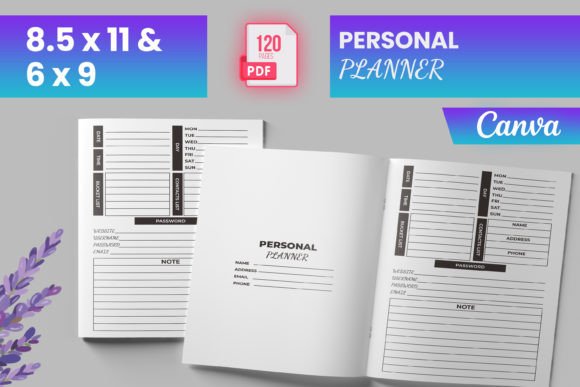
A Personal Planner Canva KDP refers to a pre-designed, editable interior template intended for publishing physical planners through Amazon Kindle Direct Publishing (KDP). Unlike custom-built layouts or generic PDFs, this type of planner is specifically formatted to meet KDP’s technical requirements—including bleed, trim size, and page count—while being built in Canva for accessibility and customization.
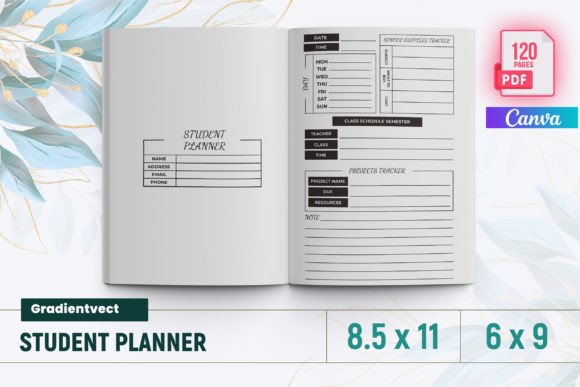
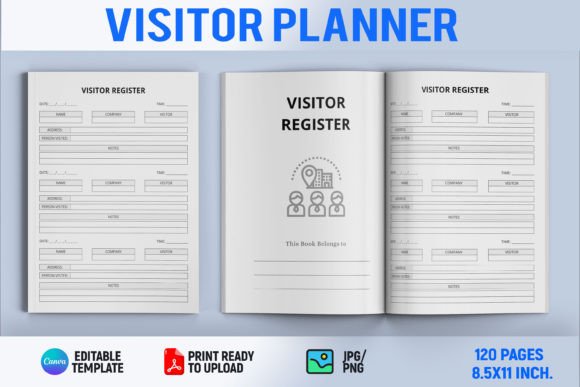
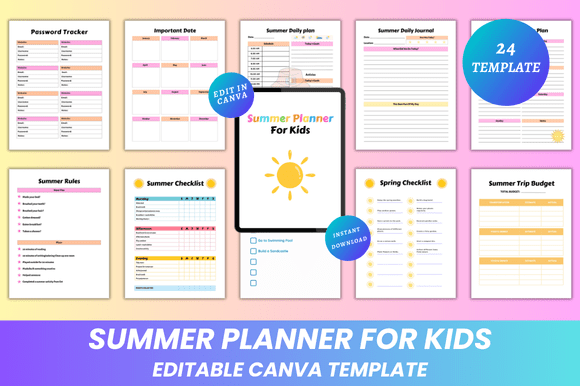
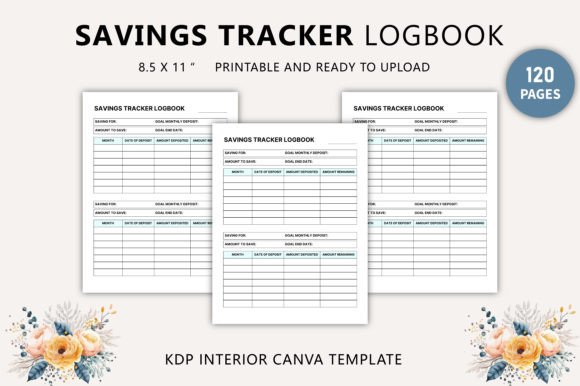
This particular offering includes a 120-page interior with multiple functional sections: daily, weekly, and monthly planning pages; habit and mood trackers; budgeting tools; fitness and meal planning aids; goal-setting frameworks; and supplementary logs like password tracking, reading records, and meeting notes. It delivers both ready-to-upload PDF files and source image assets (PNG and JPG), all tested against KDP’s specifications for 6″ × 9″, 8.5″ × 11″, and other common trim sizes.
Why Someone Might Consider This Template
Self-publishers evaluating a Personal Planner Canva KDP interior often do so to reduce production time and technical risk. Building a planner from scratch—especially one that complies with KDP’s bleed, margin, and color profile rules—requires familiarity with desktop publishing software, print standards, and iterative testing. For creators without design experience or limited bandwidth, using a pre-validated template can accelerate time-to-market.
It also supports flexibility in niche targeting. The breadth of included sections—such as travel planning, financial goal tracking, or 30-day challenges—allows publishers to position the final product across overlapping audiences: productivity seekers, students, remote workers, fitness enthusiasts, or personal finance beginners. The Canva-based structure further enables localized adjustments: changing fonts, adjusting color schemes, or swapping icons before export.
Key Benefits and Realistic Expectations
The primary benefit lies in technical readiness. The interior is labeled “bleed-ready” and confirmed compatible with KDP’s upload system—a meaningful advantage when even minor formatting errors (e.g., misaligned margins or incorrect CMYK conversion) can delay approval or cause printing defects. Having test-verified PDFs reduces guesswork during the final upload stage.
Another practical advantage is modularity. With 120 total pages covering diverse use cases, users can selectively retain or omit sections based on their target audience. A publisher focusing on habit formation might emphasize the mood tracker and daily checklist while de-emphasizing budgeting spreadsheets. This adaptability helps avoid overloading the planner with irrelevant content.
However, expectations should remain grounded. While the template is editable in Canva, it does not include native Canva share links or editable layers beyond what the exported files allow. Users must import PNG/JPG assets into Canva manually and rebuild layouts if deeper structural changes are needed. Also, the design reflects a generalist aesthetic—not tailored branding or bespoke illustration—so differentiation in a crowded planner market still depends on cover design, marketing copy, and audience alignment.
Tradeoffs and Considerations
A key tradeoff involves customization depth versus convenience. Because the interior relies on raster assets (PNG/JPG), text edits require re-importing or manual retyping in Canva rather than direct font or style adjustments in vector-based tools like Adobe InDesign. That limits scalability for multilingual versions or complex typography treatments.
Additionally, while the template covers many planner functions, its utility depends on how well those features match actual user behavior. For example, including both a weekly *and* bi-weekly budget tracker may benefit some readers but add clutter for others. Similarly, dual password trackers suggest redundancy rather than intentional design—something reviewers may notice if consistency isn’t maintained across sections.
File organization is another consideration. The package includes multiple asset types (PDF, PNG, JPG), but no documentation outlining recommended editing workflows or version control practices. New users may need to experiment to determine which file type best supports their intended edits—especially when balancing image quality against Canva’s upload limits.
When This Template Is a Strong Fit
This Personal Planner Canva KDP interior works well for creators who:
- Are launching their first KDP planner and want to prioritize reliability over uniqueness;
- Need to validate demand for a specific planner niche (e.g., fitness + habit tracking) before investing in custom development;
- Prefer working in Canva due to familiarity, cost constraints, or collaborative needs;
- Plan to publish across multiple trim sizes and appreciate having pre-formatted variants;
- Value structured scaffolding—like pre-built annual review or goal action plan pages—over blank-grid flexibility.
In these cases, the template serves as a functional foundation rather than a finished product. Its strength is in lowering entry barriers, not replacing strategic positioning.
When Alternatives May Be Worth Exploring
Alternative approaches merit attention where:
- Brand distinction is critical. If your audience expects cohesive visual language—custom illustrations, signature color palettes, or proprietary layout logic—a generic template may require more redesign effort than starting fresh in InDesign or Affinity Publisher.
- Accessibility or localization is required. Raster-based text elements hinder screen reader compatibility and complicate translation workflows. Publishers targeting non-English markets or emphasizing inclusivity may prefer vector-based, text-editable sources.
- High-volume or automated publishing is planned. Templates designed for scripting (e.g., via Python or LaTeX) offer greater repeatability for series creation. This Canva-based package doesn’t support programmatic generation.
- Technical control is non-negotiable. Users needing precise spot color handling, advanced typography features (OpenType ligatures, variable fonts), or strict PDF/X-1a compliance may find Canva’s output limitations restrictive.
Making a Practical Decision
To determine whether this Personal Planner Canva KDP interior aligns with your goals, begin by auditing your priorities: Is speed-to-launch more valuable than long-term brand scalability? Do you have the capacity to refine and test edits—or would pre-validated files meaningfully reduce friction? Are your target readers served equally well by generalized templates, or do they expect specialized functionality (e.g., ADHD-friendly layouts or bilingual journal prompts)?
Review the page list critically. Cross out sections irrelevant to your niche. Count how many pages remain—if fewer than 80, consider whether trimming further affects perceived value. Check KDP’s current guidelines for your chosen trim size; while the files were tested at time of creation, platform updates occasionally shift requirements around bleed zones or minimum line weights.
Finally, compare effort. Estimate how many hours it would take to build comparable pages from scratch versus adapting this set. If the difference exceeds 10–15 hours—and those hours could be spent refining your cover, writing sales copy, or researching keywords—the template likely delivers measurable ROI for your launch phase.